Connection manager
Ctrl+F
A tree of your servers with folders, filter and drag and drop, and a form that saves host, user, secrets, login script and drive-bar mark in one step. The servers you mark appear in the drive bar.
Remote
SFTP, FTP and FTPS built in: open a server from the drive bar and copy to it, from it, or straight to another server.
Servers
Every server you save is a place like a drive: open it, browse it and work in it with the same keys as on your disk.
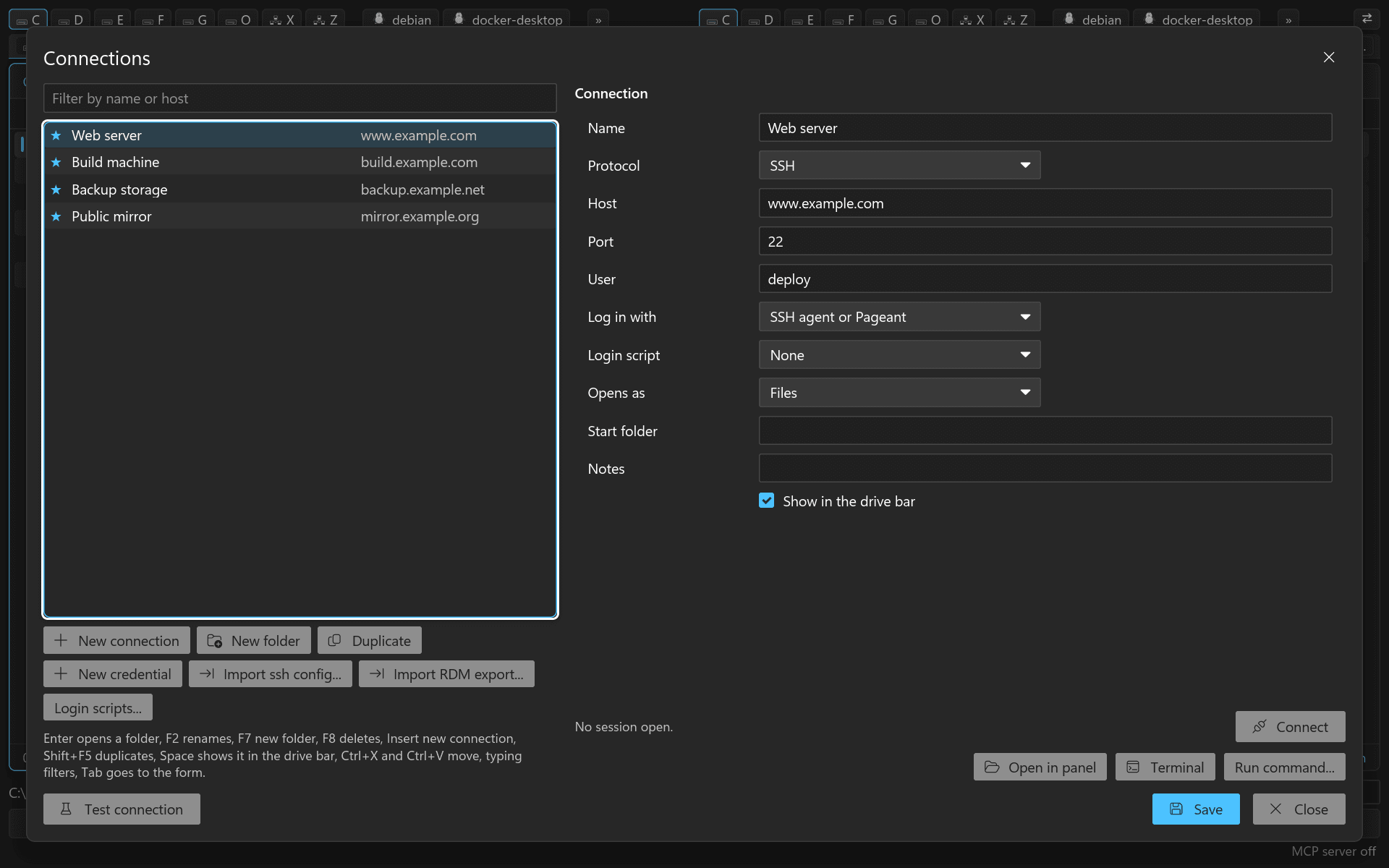
A tree of your servers with folders, filter and drag and drop, and a form that saves host, user, secrets, login script and drive-bar mark in one step. The servers you mark appear in the drive bar.
Transfers
F5 and F6 between a local and a server panel run as queue jobs. Files are written as <name>.rcpart and renamed when complete, sizes are checked before a move removes its source, timestamps and permissions are kept on request.
Bring your servers
rCommander reads your ~/.ssh/config, shows every host before it imports it and takes key files into the vault on request. A second import adds nothing twice.