Every command
MCP
Each job that adds a feature adds its MCP tools: navigate, select, copy, multi-rename with preview and undo, search, compare, sync, queue, terminals and remote commands.
Integrations
An MCP server for AI assistants with you in charge, viewer plugins in a sandbox, an easy way over from your current file manager, and a file manager at home on Windows.
MCP server
rCommander's automation interface is MCP: every command of the command palette is a tool an AI assistant can call.
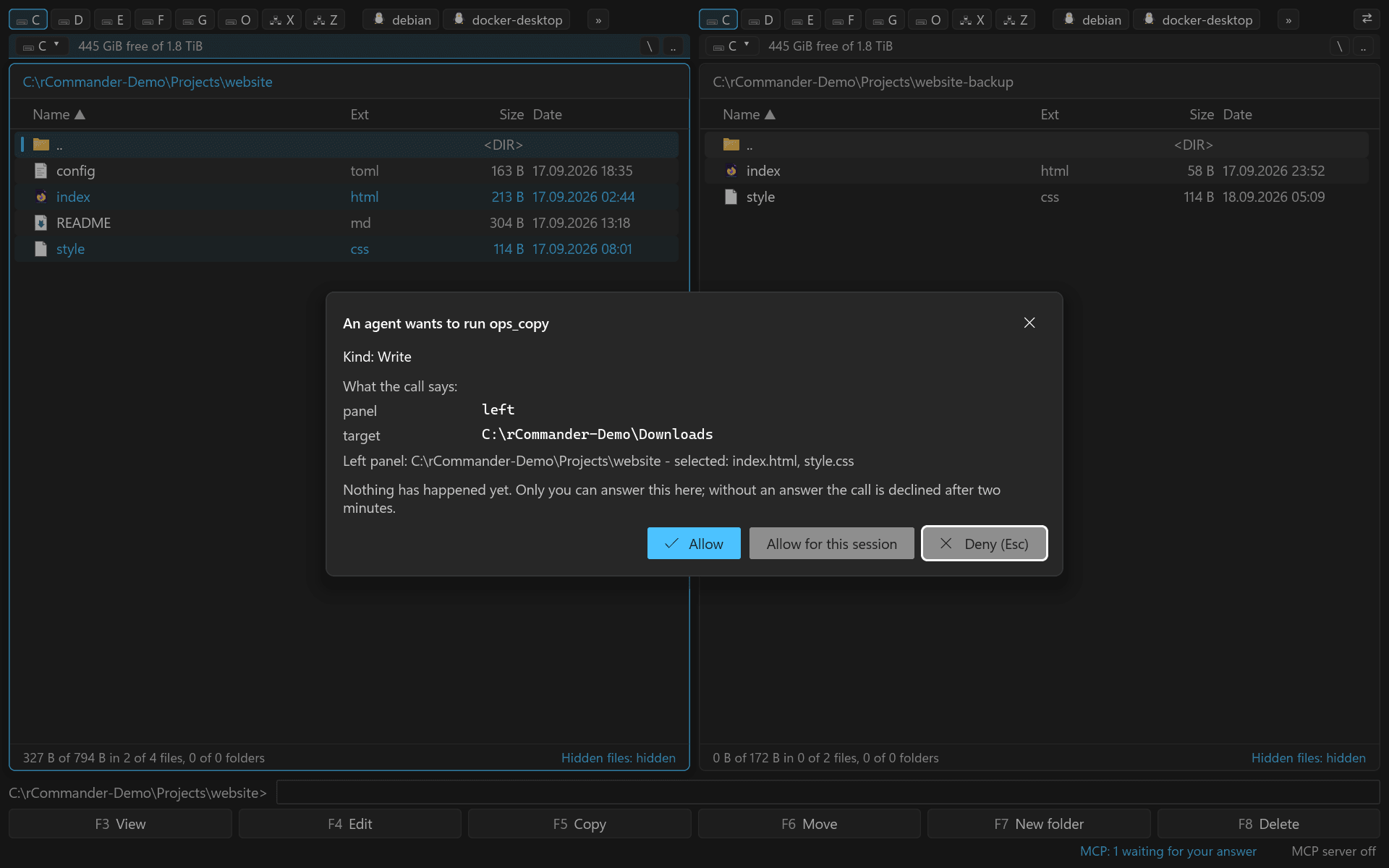
Each job that adds a feature adds its MCP tools: navigate, select, copy, multi-rename with preview and undo, search, compare, sync, queue, terminals and remote commands.
Plugins
Viewer plugins are signed WebAssembly components: they show a file in colour and as a tree, and they cannot touch anything else.
The Lister and Quick View show a file through the plugin that claims it: coloured text, a tree of its structure, several views on key 7. Bundled: JSON, XML, YAML, CSV, configuration files, shell scripts, batch files, PowerShell, diffs, logs, web code and SVG.
Switching over
Keys, dialogs and behaviour follow the classic commander conventions, so you feel at home from the first minute, and your existing setup comes along by import.
Default keys, dialogs and behaviour follow the conventions of classic two-panel file managers, down to the overwrite dialog and the quick search. The keymap is data, every action is also in the command palette (Ctrl+Shift+P).
Windows
Right click, Shift+F10 or the context-menu key open the Windows shell menu, with copy, rename, properties, copy name and copy full path on top; servers and archives get a small menu with the same entries.